
|
 08-28-2019, 04:35 PM
|
#1 |
|
Junior Member
Join Date: Feb 2019
Posts: 26
|
 D6000, GPU usage and WUDFhost
Recently I got D6000 docking station and I'm testing it at the moment. Previously I have used D3100 which had its own issues, some similar to D6000.
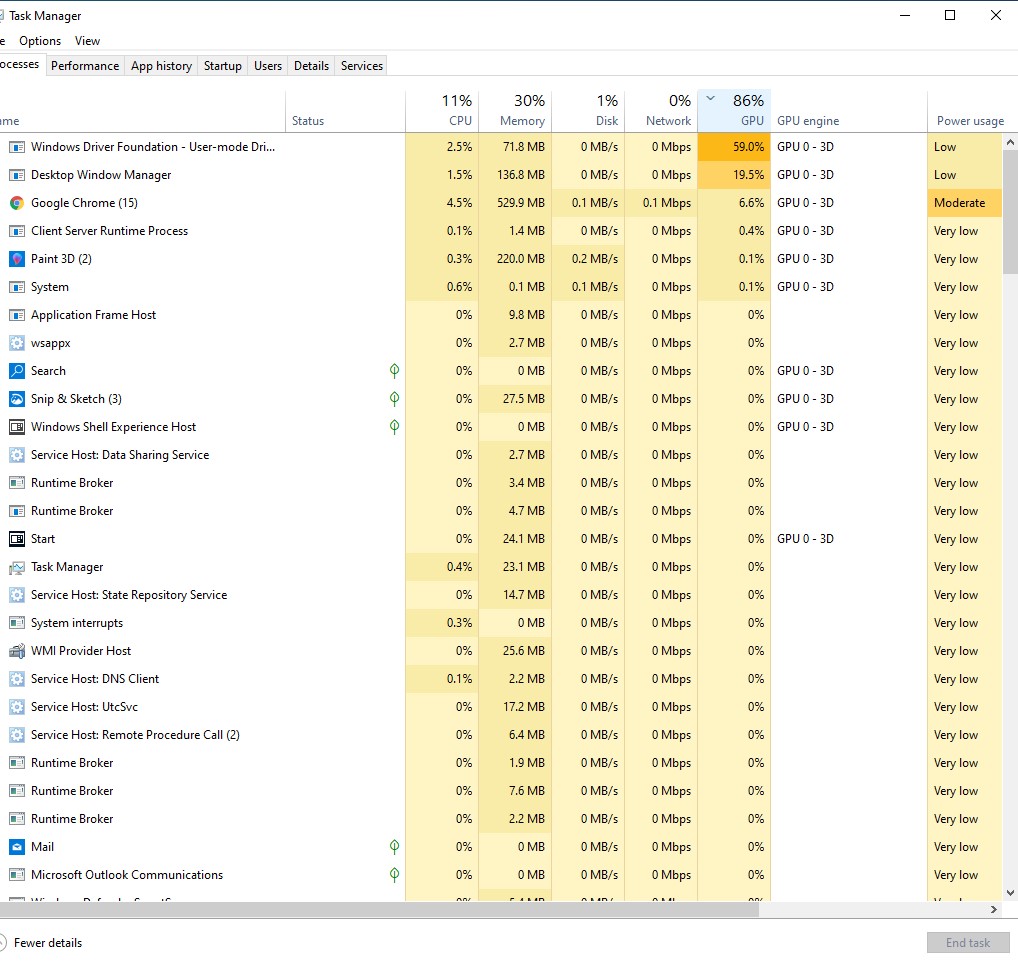
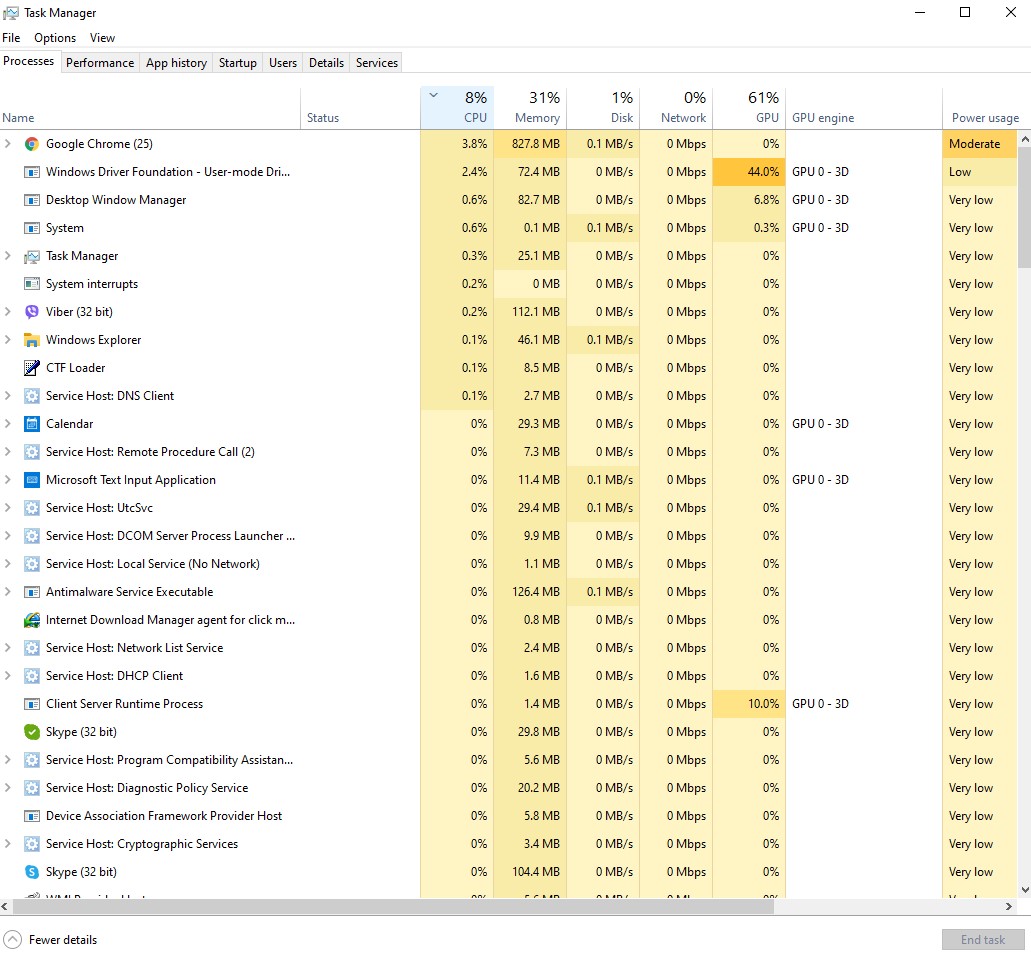
What I've noticed is that D6000 has a high GPU usage on Windows Driver Foundation. It uses GPU sometimes up to 60-70% just by browsers. This triggers CPU fan to spins faster. Has anyone experienced anything similar? |

|

|
|
08-30-2019, 06:15 PM
|
#2 |
|
Junior Member
Join Date: Feb 2019
Posts: 26
|
You can see the current Task manager where the GPU usage on WUDFHost is too high.
|
|
|
|
|
08-31-2019, 06:36 AM
|
#3 |
|
Junior Member
Join Date: Feb 2019
Posts: 26
|
|
|
|
|
|
09-01-2019, 09:35 AM
|
#4 | |
|
Junior Member
Join Date: Sep 2019
Posts: 1
|
Quote:
I have the following dock https://www.startech.com/uk/Cards-Ad...3SDOCKHD#dnlds Seeing same behavior as you, high CPU and GPU usage when browsing pages in firefox/chrome. Laptop is working a lot harder. If I watch a youtube video just on the page it visably lags, but if I full screen it, its smooth. Hope someone has some ideas on fix? Running windows 10 1903 and the latest software 9.2.2220.0 |
|
|
|
|
|
12-06-2019, 09:39 PM
|
#5 |
|
Junior Member
Join Date: Dec 2019
Posts: 6
|
I have the same problem. Also the display is very laggy.
Full screen video is not possible. Even with a monitor resolution of 1920 x 1080. I am using a Dell D6000 |
|
|
|
|
12-09-2019, 11:49 PM
|
#6 |
|
Junior Member
Join Date: Dec 2019
Posts: 1
|
Hey. I had the same problem. I have 2 1080p screens connected to my docking station. My laptop has 2 graphics cards built in. A Vega 10 iGPU and a GTX 1660ti.
First solution: If a Nvidia GPU is installed, you can set in the Nvidia Control panel which programs are started with the iGPU and which with the Nvidia GPU. With Firefox set to use the 1660ti i can play 2 1080p 60fps Youtube videos without lags. Second solution: In the Windows device manager you can deactivate the iGPU so that Windows only uses the better GPU. Don't be surprised if nothing is shown on the laptop display anymore. A restart helped me, so the picture on the laptop display was rendered by the 1660ti. Personally, I use the first solution because I can change the setting during operation without restarting the computer. And you have much longer battery life on the go. |
|
|
|
 |
|
|


 Linear Mode

